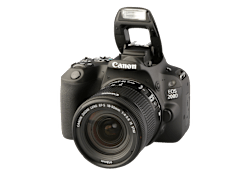
The Canon PowerShot ELPH 510HS is part of the digital camera
test program at Consumer Reports. In our lab tests, point & shoot digital camera
models like the PowerShot ELPH 510HS are rated on multiple criteria, such as those listed below.
Megapixels:
Megapixels is the number of pixels, in millions, on the sensor.
Weight (oz.):
Weight is with battery, memory card, and strap.
Image quality:
Combines several tests, including regular photos, low-light photos, and flash photos as well as color tests, among others.
About This Brand
Canon is the market leader in point-and-shoots, with an extensive line of models, which are known as PowerShots. Its budget line, the A series, is made up of compacts and subcompacts. Canon's subcompacts are known as SD ELPHs. Its SX-series are mostly super zooms and come in various sizes and include smaller or larger feature sets. Canon has the D-series compact, which is waterproof and shockproof. Its high-end series, the S and G lines, include special modes and manual features, such as the ability to shoot RAW files and to focus manually. The EOS Rebel series helped to define budget SLRs. Other SLRs include a host of pro and more-advanced consumer models, including models that have very large, full-frame sensors. Canon also offers a wider selection of lenses than most brands.
Optical zoom Optical zoom is the maximum magnifcation of the lens.
Optical zoom
12
Manual controls Some cameras allow the user to set the aperture (f-stop), shutter speed, or (usually) both. This feature is used to override the automatic exposure settings when more control is needed. During a sporting event for example, you may want to use a high shutter speed to freeze the action. Or, you may want to use a low shutter speed to blur moving objects (like a waterfall) while keeping stationary objects sharp. Using shallow depths of field can be used to blur the background of photos while keeping the foreground in focus. Typically up/down arrow keys are used to change settings displayed on the LCD or in the viewfinder. These controls are not as easy to use as on conventional film cameras.
Manual controls
No
LCD size (in.) Digital cameras have a small liquid-crystal display (LCD) screen on the back so you can see the images and decide which to keep. You can also use the LCD to help frame photos, but that's a sure way to run down the battery in a hurry. Most LCD screens are too dim for viewing clearly in sunlight. Many cameras also use the screen for displaying menus and camera settings. It is desirable to have both an LCD display and a viewfinder with an eyepiece.
LCD size (in.)
3.2
Touch screen Touch screen indicates touch capability on the LCD.
Touch screen
Yes
Viewfinder Found on virtually all models, this optical device allows you to look through an eyepiece to frame the subject before taking a picture. Not to be confused with the LCD image display found on the back of the camera, which is mainly to view photos you've already taken.