The New Google Pixelbook's Less Pricey Competitors
CR recommends three Chromebooks that top out at $500


When you shop through retailer links on our site, we may earn affiliate commissions. 100% of the fees we collect are used to support our nonprofit mission. Learn more.

The new Google Pixelbook is a $999 Chromebook that is trying to appeal to consumers with high-end specs and beautiful looks. However, there are much cheaper laptops out there that run Google's Chrome operating system and do just about everything most Chrome users want.
Consumer Reports has recommendations for cheaper Chromebooks. But first, some background.
When the first Chromebooks began shipping in June 2011, they were positioned as low-cost laptops for people who didn’t need a ton of computing power. The machines couldn't run software built for Windows or the Mac operating system. Instead, the idea was that your applications and documents would mainly remain online.
You could use Chromebooks to browse the web, answer email, and watch online videos, and they became popular in schools. Many of these computers sold for $200 or even less.
However, Google hasn't stuck to the cheap-and-cheerful approach with its own hardware. The company's new $999 Pixelbook is just the latest in a handful of expensive Chromebooks from the company.
The Google Pixelbook has PC-like specs: 8GB or 16GB of memory, and storage of 128GB and up. You can fold it into a tablet, and with the optional $99 digital stylus you can use it as a sketchpad. Also, the Pixelbook uses Google Assistant, the same voice-activated digital assistant many people like on their smartphones.
We'll report on the Google Pixelbook's performance once we can buy one and run it through our rigorous lab tests. (Consumer Reports only rates products that we purchase at retail, like typical shoppers.)
But whatever we find, many consumers may prefer a Windows laptop such as the 13.3-inch Acer Aspire ($775) and 13.3-inch Lenovo Yoga ($850), which are both recommended by Consumer Reports. It comes down to the software you can run on these machines. If your laptop needs to handle diverse work in applications from Photoshop to Excel—let alone more specialized software—you'll probably find it easier to stick with a Windows or Mac laptop.
Despite their limitations, Chromebooks are becoming more popular. Many consumers keep their documents and photos in the cloud these days, and Chromebooks can be convenient.
“Yes, they're underpowered compared to Windows, but you could also promote that as being more agile or leaner than Windows,” says Linn Huang, research director of devices and displays at IDC, a global market research firm. “It’s not clunky, and it’s up and running right out of the box.”
If you like the idea of a Chromebook but wince at the Pixelbook's price tag, you've got options. Below are a few high-quality Chromebooks recommended by Consumer Reports testers, all costing $500 or less.
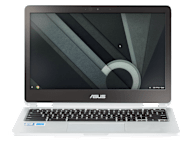
This notebook from Asus, which costs about $480, receives excellent marks for ergonomics, performance, and versatility. The Flip will run for almost 10 hours on a charge, making it one of the longest-lasting machines in our tests.
Like many newer models, this Chromebook has a touch screen. And because the keyboard folds completely out of the way, it's an appealing tool for playing games.
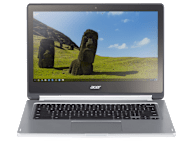
The Acer CB5-312T-K8Z9, which is part of Acer's Chromebook R 13 line, is one of the few convertible Chromebooks available, with a touchscreen display that folds back for use as a tablet.
Overall, this Acer is among the highest ranking Chromebooks, with excellent versatility and very good portability. The screen's wide viewing angle is great for sharing a movie or presentation, which you can do while using it in tent or stand mode. But it's one of the pricier Chromebooks we've tested so far, at $500.
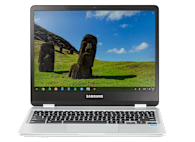
With the Samsung Chromebook Plus, you can access the Google Play Store—that brings you a much wider variety of apps, but not all Chromebooks provide that option. This laptop's touchscreen, convertible design, accelerometer, and gyroscope will enhance your use of Android apps that were originally conceived for smartphones.
It comes with a built-in stylus, and the display is one of the better ones we've seen on Chromebooks: Colors are accurately reproduced and viewing angles are wide. On the downside, there is no backlight on the keyboard. The price is around $500, but we've seen it for $450.


