How to Get Better Indoor TV Antenna Reception
Just like in real estate, what matters is location, location, location


People continue to cut the cable TV cord, a trend that has now been happening for about a decade. In fact, cable and satellite TV providers have lost over 20 million subscribers in the U.S. since 2014. A big reason: High prices.
One solution for consumers has been to switch from pay TV to streaming services, but in recent years, those services have become more expensive themselves. There’s a fix for that, however. You can join the estimated 20 percent of U.S. households that have internet access but also use a TV antenna.
That number is likely to rise over the next 12 months, as a new over-the-air standard, called ATSC 3.0 or NextGen TV, rolls out. Right now, these signals are available in about 80 percent of the country. The technology promises greater reliability, better-quality video with high dynamic range (HDR), improved sound, and even some new interactive features, including internet content that’s carried alongside traditional TV broadcasts.
You can pull in NextGen TV signals using any decent indoor antenna—including one you may already own. But you’ll also need a TV with a built-in ATSC 3.0 tuner or an external receiver. While earlier converter boxes cost $90 or more, there’s been a recent push by ATSC 3.0 broadcasters to get low-cost tuners costing $60 or less on the market.
Once you set up an antenna, you may find that the quality of the digital stations you receive is better than it was with old analog TV broadcasts—and perhaps even better than cable. If you live near a major TV market, there’s a good chance you can receive many local networks, such as ABC, CBS, Fox, NBC, PBS, and Telemundo. You may also get dozens of digital subchannels that offer everything from old shows and movies to local amateur sports.
We can’t help with the geography, but we do have tips on getting the best possible reception in your home. In some ways, using an antenna is easier than it used to be. Ever since the move to all-digital TV, over-the-air signals tend not to attenuate, or drop off, the way analog signals did. That means the days of attaching tinfoil to an antenna’s rabbit ears to improve reception on marginal stations are gone.
Getting great reception from an indoor antenna can be a mix of science and art. Here’s what you need to do.
Compare Antennas
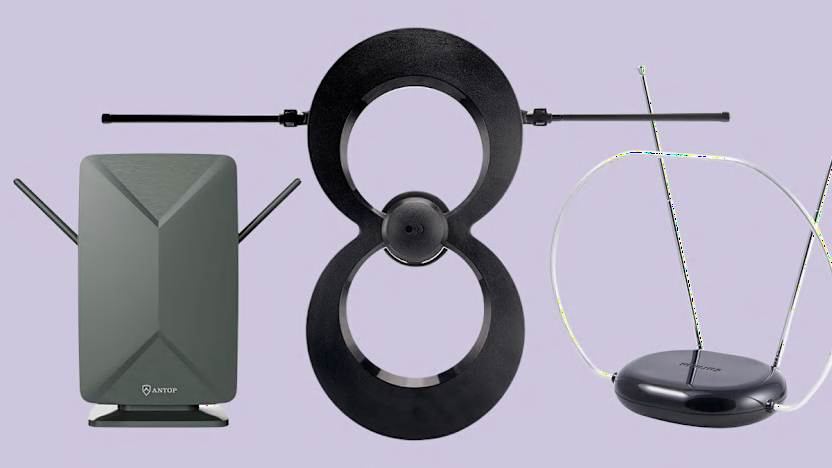
In our tests of indoor TV antennas, reception depends mainly on how far we are from the broadcast towers, as well as the terrain and details of our surroundings, such as buildings, trees, and hills. Some models perform better than others in our testing, but it’s hard to predict which antenna will work best at any given location.
Some indoor antennas are directional, so they need to be oriented toward broadcast towers. Multidirectional antennas, which receive signals from all directions, could be better for urban locations, but they might not pull in the more distant stations that a properly positioned directional antenna could.
One surprise is that we find little correlation between price and performance. Cheaper antennas often do as well as—or better than—more expensive models.
So here’s our advice: Try a few antennas to see which one works best. To do that, you need to buy from a retailer that offers a no-hassle return policy and a reasonable warranty.
Raise Your Antenna
The height of your antenna is a critical factor in getting decent reception. That’s one reason roof-mounted antennas typically outperform indoor models. It’s also why you probably won’t get good reception using an antenna placed in your basement.
If possible, place your indoor TV antenna in an attic or on a second story, preferably near a window. Sometimes objects in the room or roofing materials will interfere with the signals, so it pays to try a few different attic locations. Of course, having the antenna in one room and the TV in another requires running a cable through your home because the antenna needs to be connected to the antenna (RF) input on your set.
In reality, most people will place the antenna in the same room as the TV. So try a few higher locations, such as along a wall near the ceiling. Some flat antennas, such as the Mohu Leaf, can be painted (using a nonmetallic paint), allowing them to blend in with the decor. And some flat models, such as the Winegard FL5500A FlatWave Amplified, are reversible, typically black on one side and white on the other.
Point the Antenna in the Right Direction
Directional, aka “unidirectional” antennas, need to be oriented toward a broadcast tower.
To find out where the local broadcast towers are in your area, go to the Federal Communications Commission’s DTV Reception Maps page, then click on the station’s call letters to see where the signals are coming from. You’ll also be able to determine how many stations you should be able to pull in, along with their relative signal strength. You can also get useful advice and information, including tips on outdoor antennas, from AntennaWeb.
For information about the markets where NextGen TV is available, go to the NextGen TV website.
If you live in the suburbs of a big city, all the major broadcast towers may lie in the same direction, but you might need to reorient the antenna for different stations. As noted above, a multidirectional antenna doesn’t need to be aimed, but it might not be as effective at picking up signals from distant towers.
When you’re trying out different antennas, be sure to scan through the channels on your TV to see which antenna location pulls in the most stations.
Strike Up the Bands
Back in the analog TV signal days, most of your major broadcast channels, say, 2 through 13, were in the lower-frequency VHF band.
But since the transition to all-digital broadcasts and the subsequent spectrum auction that saw many stations shift locations, local channels are now on both VHF and UHF (channels 14 to 51) bands. So you’ll want an antenna that works well on both bands to make sure you get all the stations you can.
Stop Interference
Anything that stands between an indoor TV antenna and the broadcast towers can degrade your reception. If possible, try placing the antenna in or near a window, provided you don’t live in an apartment building where your view consists of a neighboring building’s brick wall.
The second best choice is an external wall that faces the broadcast towers. If you live in a house, try to avoid a location that might be obscured by big trees, a shed or garage, or other large obstructions. Try a few different windows and walls to find the best spot.
When testing indoor TV antennas in my home, I’ve found it handy to have an extra length of RG6 coaxial cable—and a female-to-female coaxial cable joiner—so I can move the antenna to different locations. I also used some painter’s tape to temporarily attach the antennas to the various locations before determining the best spot.
Try an Amp
Many of the models we tested had an amplifier, which can boost signal strength to help pull in more distant stations. An amplifier can also be helpful if you intend to split the signal from one antenna to feed two TVs.
But our tests show that amplified antennas aren’t always more effective than nonamplified models. They can also amplify noise and distortion, and overload reception from closer stations.
If you have an amplified antenna, try it with the amplifier turned off. If reception is good, leave it off. But if that doesn’t work well, turn on the amp and rescan the channels (see below) to test whether reception improves.
Rescan for Channels
One last tip: Rescan for channels every month or so because you might pick up some new stations you couldn’t get earlier. We have step-by-step instructions on rescanning. It can seem a bit tricky, but it doesn’t take long.