How to Stream Super Bowl LX
Here's how to catch all the action—and commercials—on your big screen, even if you’ve cut the cord to cable or satellite TV

When you shop through retailer links on our site, we may earn affiliate commissions. 100% of the fees we collect are used to support our nonprofit mission. Learn more.

If you’re one of the millions of people who have ditched their cable or satellite TV provider in favor of lower-cost alternatives, you may be scrambling to make sure you can watch Super Bowl LX.
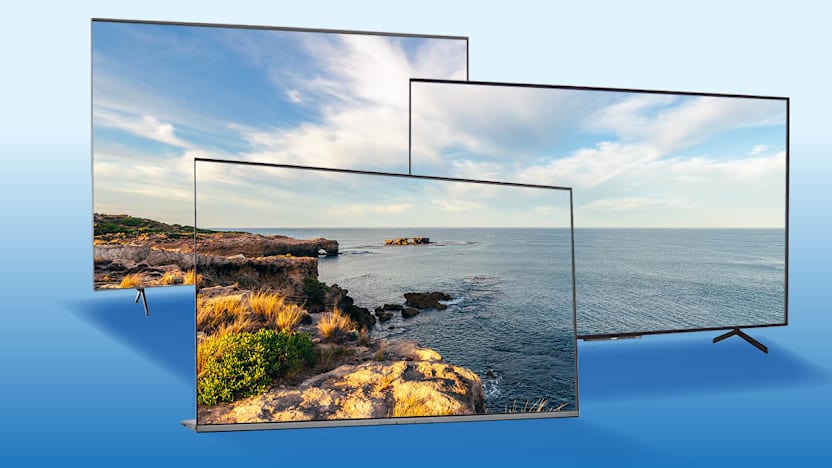
This year, it’s NBC’s turn to show the Super Bowl, and once again the game will be shown in 4K with high dynamic range. HDR can really make the picture more vibrant and lifelike if everything is set up right. NBC will offer the game in HDR10 and Dolby Vision.
In the Market for a New Television?
Check out the best TV deals for Super Bowl LX.
How to Watch Super Bowl LX in 4K HDR
NBCUniversal will make the big game available in 4K on both NBC broadcasts and on its Peacock streaming service. The 4K NBC broadcasts will be available on some traditional pay-TV providers that support it, including Altice/Optimum, Charter/Spectrum, Comcast/Infinity, Cox, Dish, DirecTV, and Verizon FiOS. You should contact your TV service provider to see whether the game will be available in 4K HDR in your area and whether you have the right set-top box to watch it.
Super Bowl LX will also be available in 4K on live TV streaming services such as DirecTV Stream, Sling, and YouTube TV. Some services don’t carry NBC in all markets, so check your service to make sure the network is available in your area. For example, Fubo is currently in a carriage dispute with NBC, so unless the two parties come to terms in time, you won’t be able to see the Super Bowl on that service.
To watch the game on Peacock, you’ll need one of two subscription plans. The ad-supported Peacock Premium costs $8 a month, while the ad-free Premium Plus plan costs $14 a month. However, live sports still include the usual commercials you’d see on the broadcast network. Fortunately, Super Bowl commercials are often as entertaining as the game.
As both CBS and Fox have done in the past, NBC will shoot the game in 1080p and then upscale it to 4K for its broadcasts. The broadcasts will be available in both HDR10 and Dolby Vision HDR, depending on the type of HDR your provider supports. Almost all 4K TVs support HDR10, and many sets now support Dolby Vision. The most notable exception is Samsung, which supports HDR10+ but not Dolby Vision.
Why is this important? When done well, HDR enhances the contrast of an image—the difference between the lightest and darkest parts—creating greater detail and a wider, more vibrant range of colors, bringing the game closer to what you’d see at the stadium.
NBC says that in addition to more than 80 cameras and 150 microphones, it will use new technologies such as Weather Applied Metrics, which quantifies how past, present, and future weather conditions can impact the game. Fans will also see a new graphics package.
As an alternative, you can stream Super Bowl LX on your phone through the NFL+ on the NFL app, which costs $7 a month.
How to Watch the Super Bowl Free
If you don’t want to pay, you can catch the game if you have an antenna and good reception in your area. You can check the Federal Communications Commission TV reception maps to see which stations are available in your area. Just try any antenna well in advance of the game, because the model and the topography where you live can affect reception.
One bit of good news is that if you have a TV with an ATSC 3.0 tuner that can receive "NextGen TV" over-the-air broadcasts, you’ll also be able to watch the game in 1080p with HDR. If you have a TV with an older ATSC 1.0 tuner, external NextGen TV tuners are now available starting at about $70. ATSC 1.0 broadcasts don’t support 4K or HDR.
Another option is to start a free trial of a live TV streaming service that carries NBC. These services typically cost $60 to $90 per month. Just be aware that these free trials are often limited to first-time subscribers and can last from a few days to a few weeks. You usually need to enter your personal info and credit card number, and you’ll be charged for a month of service if you don’t cancel before the trial expires.
Showing the Game on Your TV
The live TV streaming services mentioned above are available on most newer smart TVs. If you have a set that doesn’t support a service or app you want, consider adding a streaming media player.
You may want to use one even if you have a smart TV. Many people do—including me. These add-on devices don’t cost much. New 4K streaming devices can cost as little as $20 and might outperform or be easier to use than your television’s smart platform. Most streaming players, including Amazon Fire TV, Apple TV, Google TV, and Roku, now support the major live TV streaming services.
Streaming Devices to Consider
Below are a few streaming devices that support 4K HDR. You’ll find the complete list on our streaming media device ratings, available to Digital and All Access members.